
Projects is for the work that is bigger than one meeting and smaller than the whole company: a launch, a tender, a move, a new customer being onboarded. A project has one goal and collects the meetings, tasks, documents and context that belong to it. The agent keeps a brief up to date: what the project is for, what was decided last, and what comes next.
Only the colleagues added as members see the project. Owners and administrators have no shortcut in — see Who can see a project.
Common uses
- One place for everything about the work. The meetings about the tender, the tasks that were agreed and the quote documents sit together, not spread across everyone's calendar and inbox.
- New colleagues get up to speed fast. The brief says where the project stands, and the meetings shared with the project give the history.
- Follow-ups that actually get followed up. What is agreed in a project meeting becomes tasks with an owner and a date, and shows up on each person's Home.
The screen
The list shows the projects you belong to, sorted by target date. At the top you choose between Active, Completed and Archived. Each project shows its next meeting and how many open tasks it has.
New project opens a form with Name, Goal and Who is involved?. The goal is optional, but it helps the agent with the brief and the meeting preparation. The colleagues you add can edit the project; you become the one who manages it, and can change the roles afterwards.
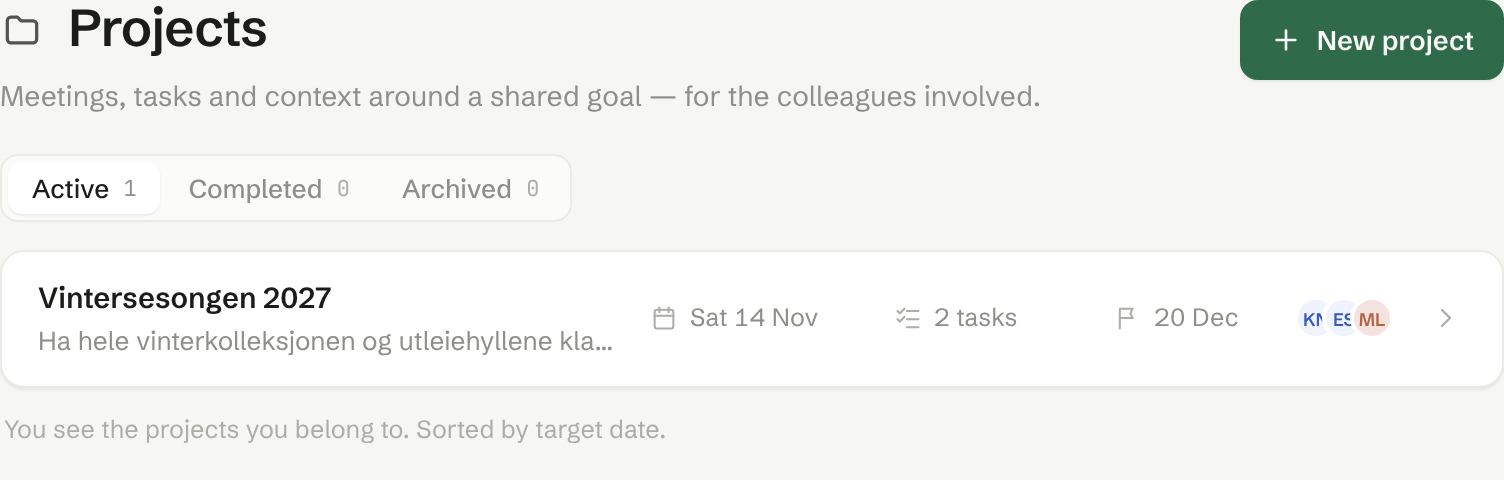
A project
The page for one project has:
- Target date, Owner and Customer at the top. The owner is the person responsible, not an access right: an owner who is not a member does not see the project.
- Goal — edit it right on the page.
- The agent's brief, written from the meetings and the context you give it.
- Tasks — the project's tasks, with an owner and a due date. A task here is an ordinary task, and also appears on Home for the person responsible.
- Meetings and Documents — see Meetings and documents in the project.
- Members — who is in, and what each of them can do.
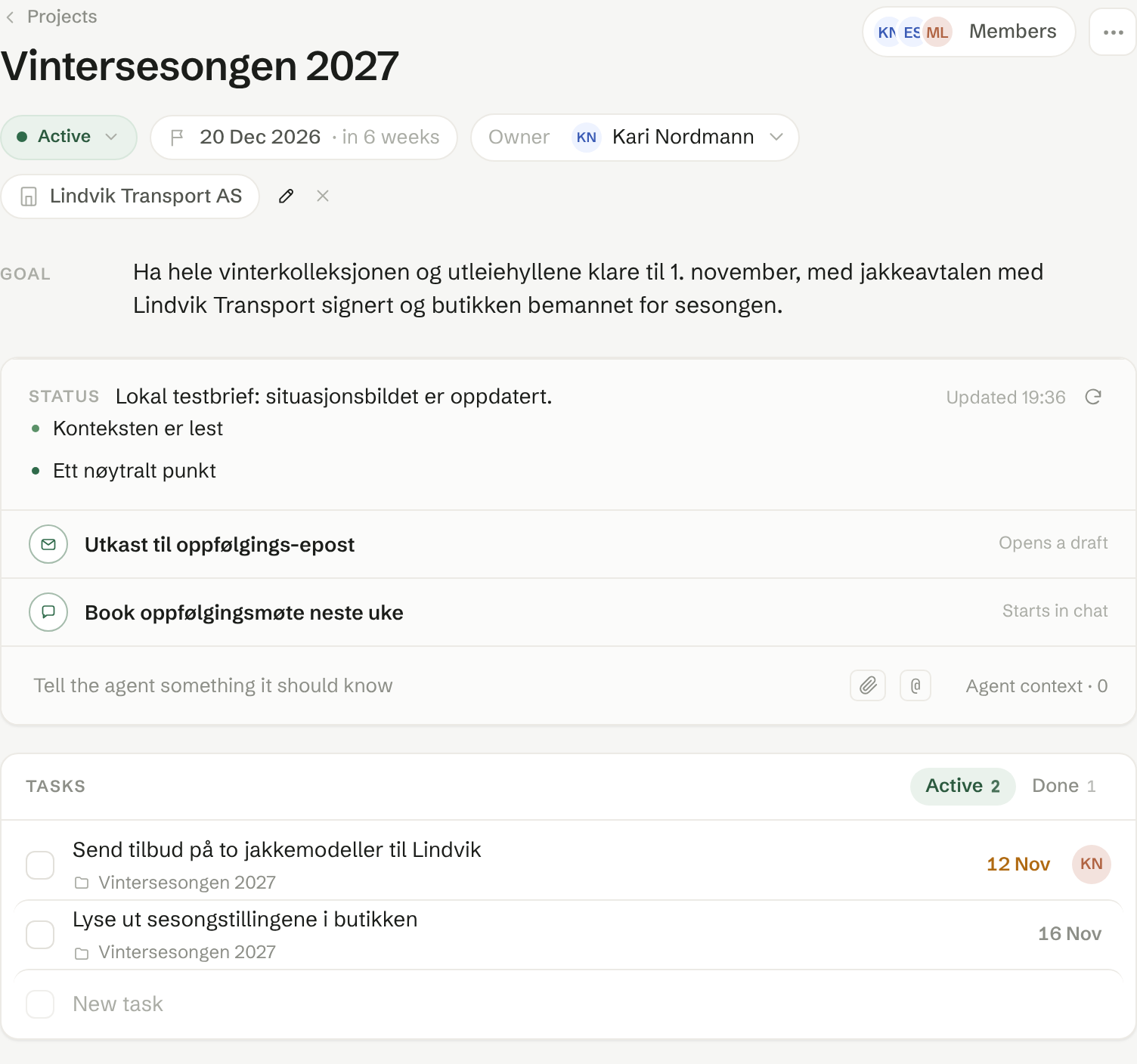
The More menu has Edit project, Mark as completed, Archive and Delete project. Deleting removes the project, its tasks and its context for all members; meetings that were shared with the project become private to their hosts again.