
A meeting belongs to one audience: you alone, the whole workspace, or one project. The documents in the project follow the same rule.
Sharing a meeting
Open the meeting and choose Who can see the meeting? under the title. Pick the project in the list, or search for it; only projects you can edit are shown. Choose Share with project.
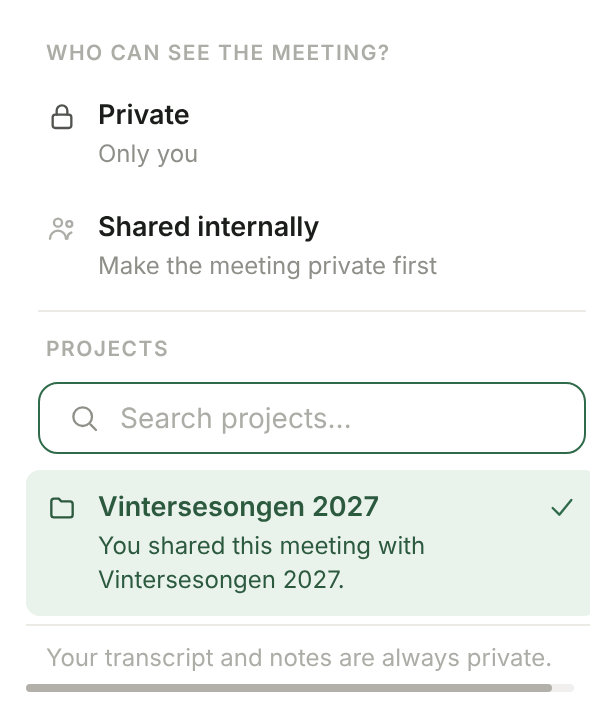
The members then see the summary, the follow-ups and the attached files, and the meeting appears under Meetings on the project page. The transcript and your notes stay private, always. Read the summary before you share: it may have drawn on your notes. Future summaries in project meetings do not use your notes.
From the project page it also works the other way: Add meeting searches the meetings you host. Only the host can move a meeting, and a document created with Create document has to be detached from the meeting first.
Make private takes the meeting out of the project again, and the members lose access. If you move it from one project to another, the brief is rewritten for the new audience.
Meeting series
If the meeting belongs to a series, you can choose Only this meeting or This and future meetings in the series. With the latter, new meetings in the series land in the project by themselves, for as long as you can edit the project. A choice you make on an individual meeting always takes precedence. The agent can also suggest a project for a meeting from its title, series and participants; a suggestion shares nothing until you have chosen it.
Documents
Documents on the project page shows the project's own files. Drop files straight onto the list, or add a document from Documents: it is copied into the project, so what you have in the shared archive stays as it was. Live text documents cannot be copied in.