
A project is visible to its members and nobody else. That includes the workspace's owners and administrators: unless they have been added, they see neither the project nor its meetings, tasks or documents. Only colleagues in the workspace can join — not guests or external people.
Roles
Every member has a project role:
- Can edit — sees the project, the brief, the meetings, the tasks and the documents, and can change the goal and the fields, add tasks, meetings and documents.
- Can manage — can also add and remove members, change roles, complete, archive and delete the project.
Whoever creates the project manages it. The colleagues added at creation get Can edit. A project must always have at least one manager, so the last one cannot be removed or downgraded.
Adding and removing
Open Members on the project page. Add colleague… searches the colleagues in the workspace; pick the role in the list afterwards. Remove takes a colleague out of the project at once: they lose access to the project's meetings, tasks and files, and the tasks assigned to them are left without an owner.
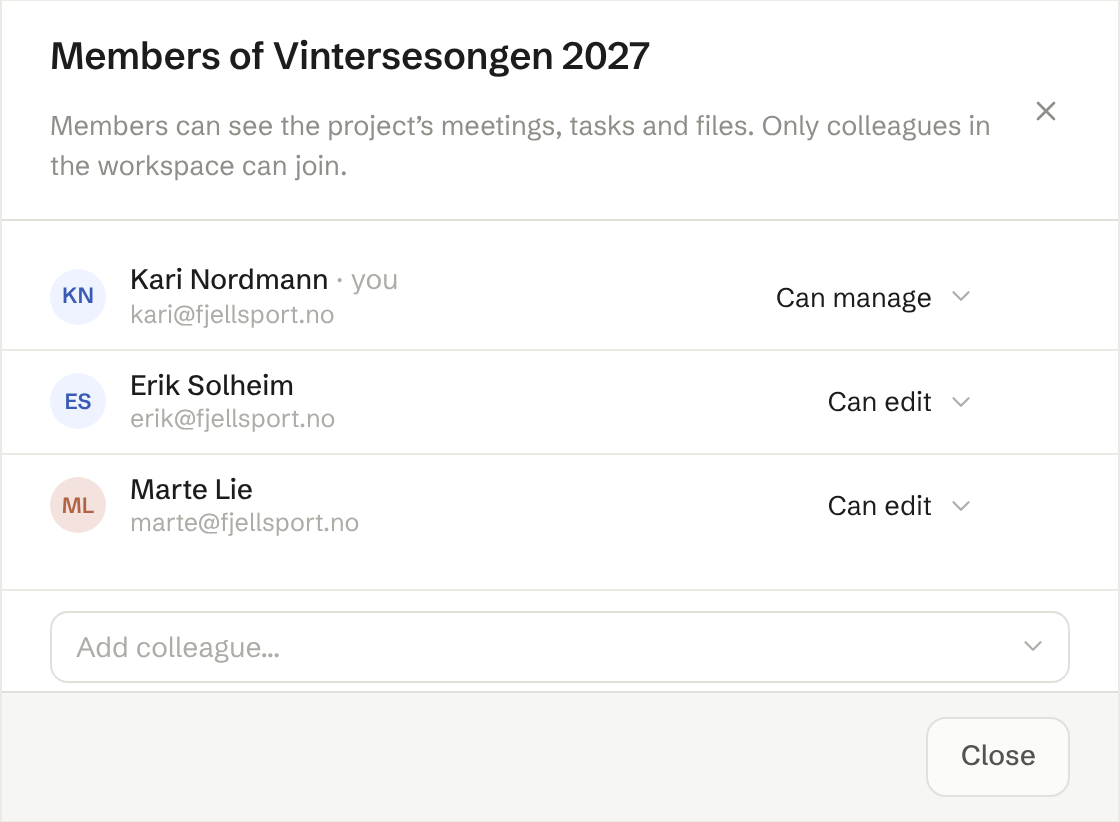
If you are not the one managing the project, the dialog shows who to ask.